Ultra-fast calculations + 3D preview

The most precise cutting map with a 3D view, in the shortest time possible

Enter your parts list and see the optimal layout in a fraction of a second. Advanced algorithms account for blade kerf and grain direction so you get the least waste. Present the final result to your clients with 3D rendering. A powerful cloud tool for your workshop.
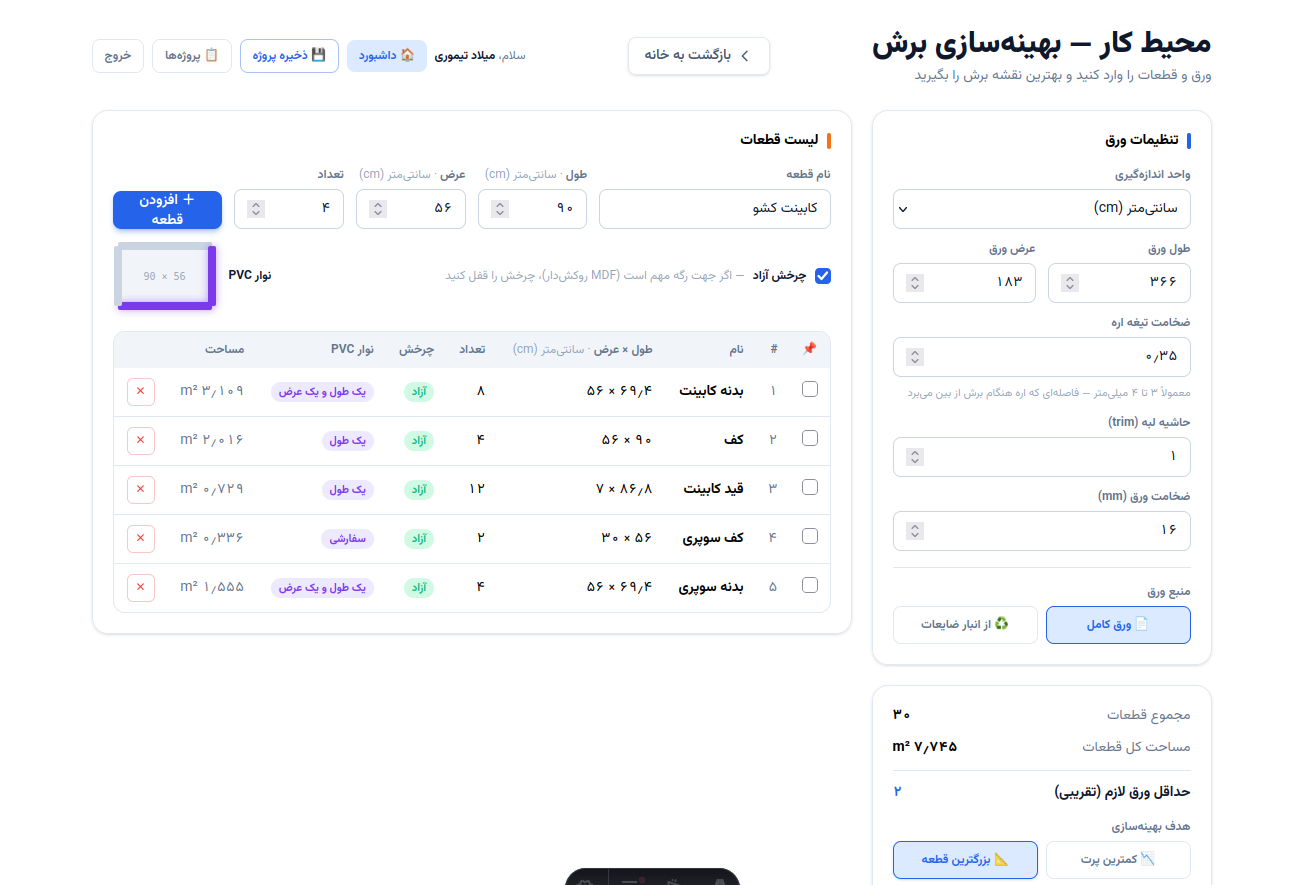
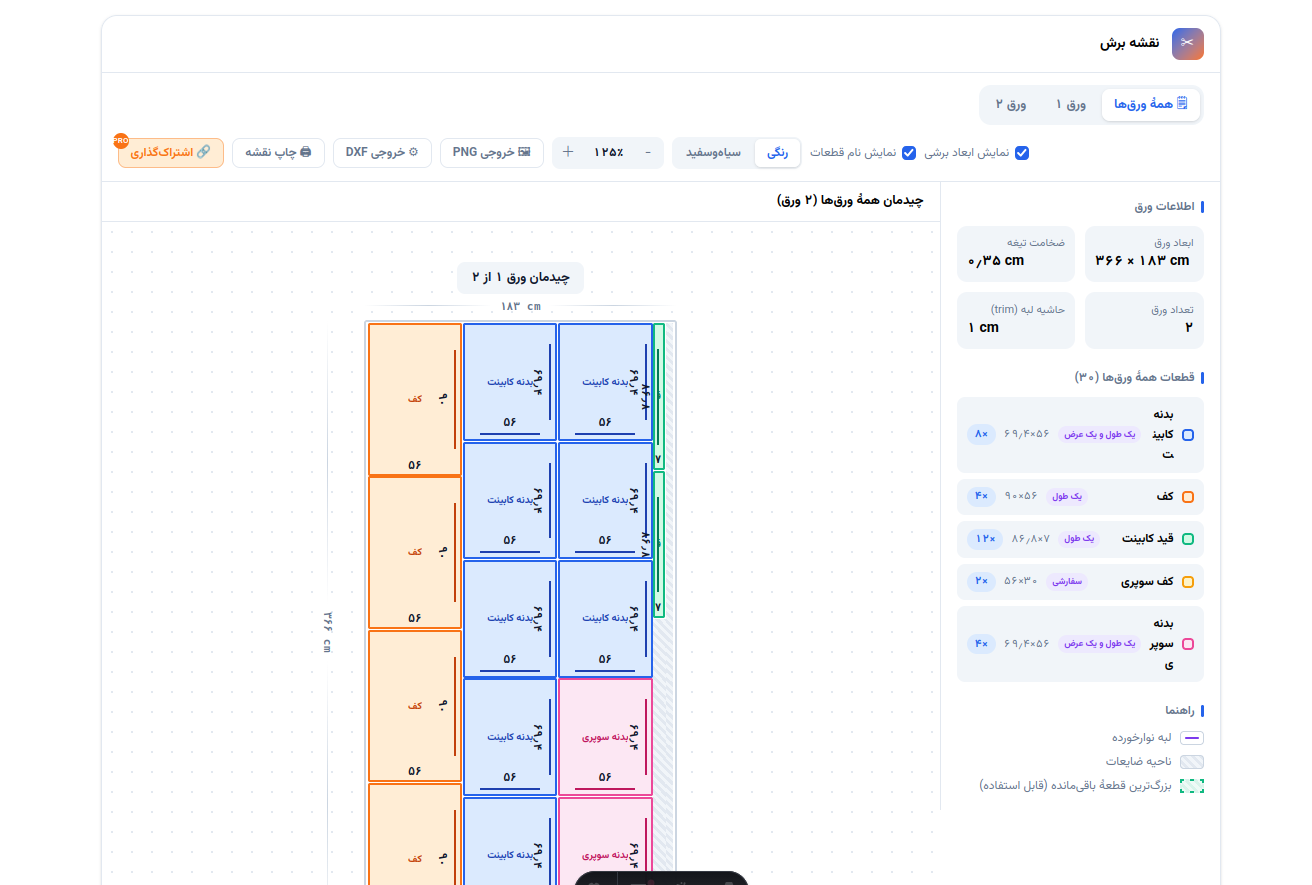
Management dashboard
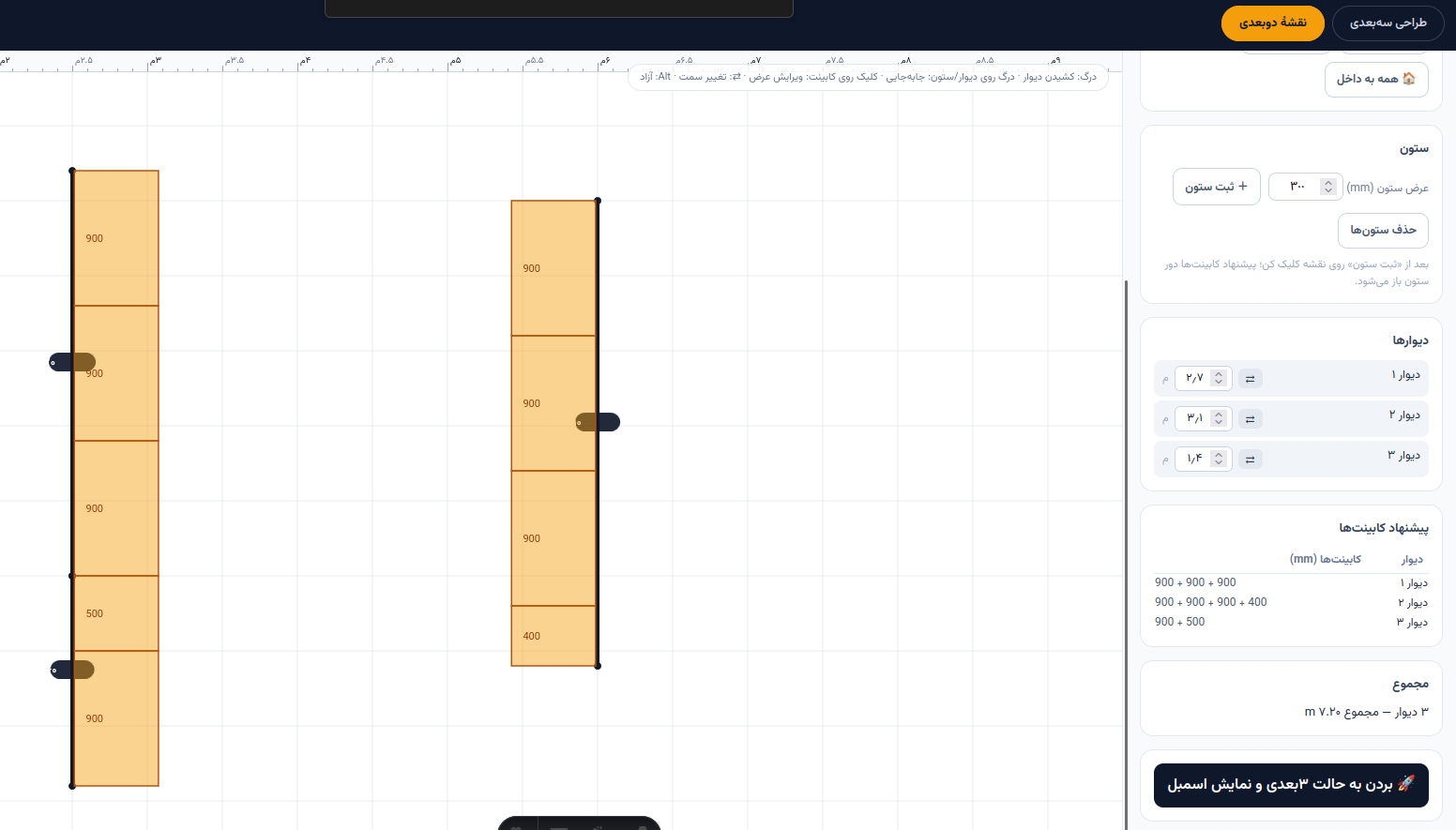
2D cut map
2D cut map
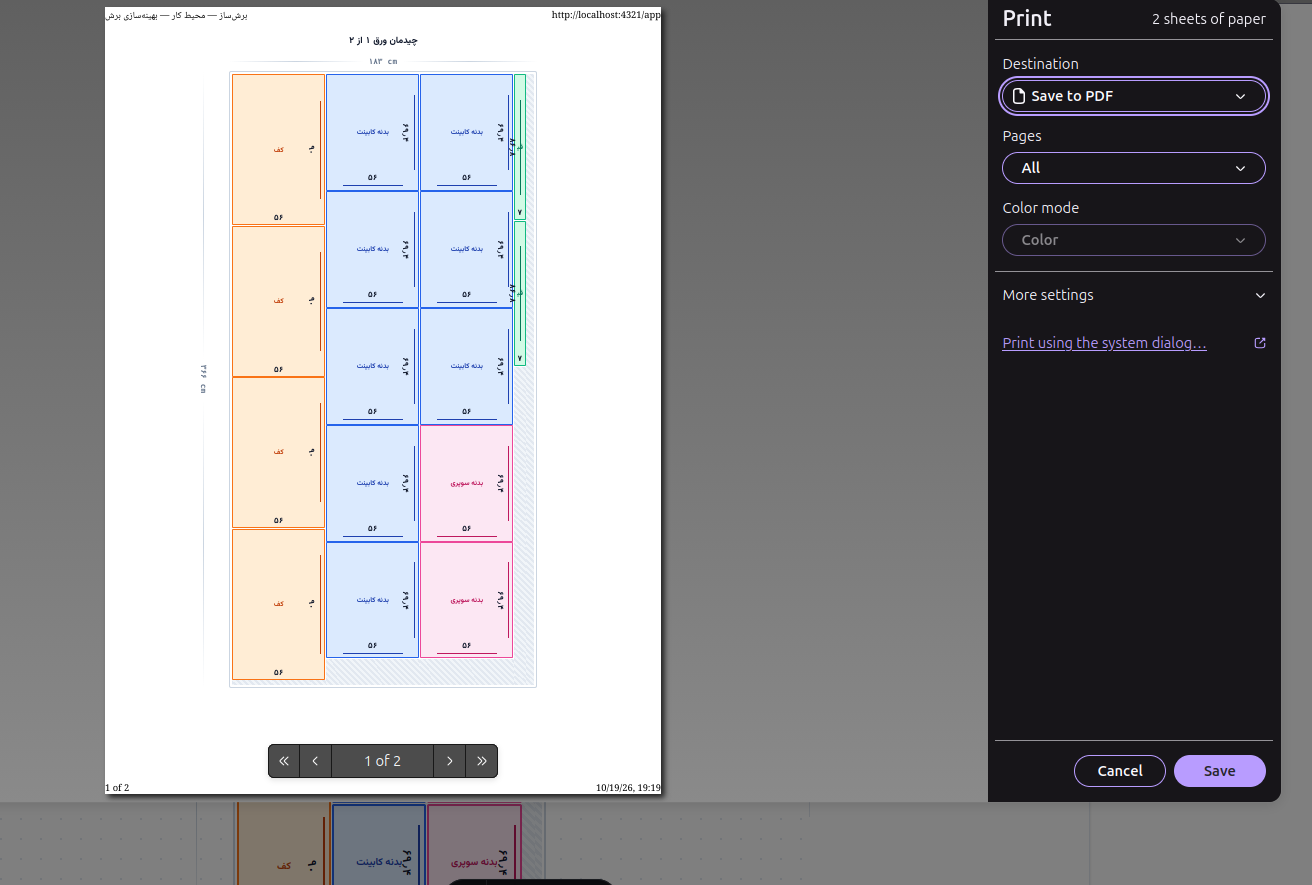
Print the cut map
Print the cut map
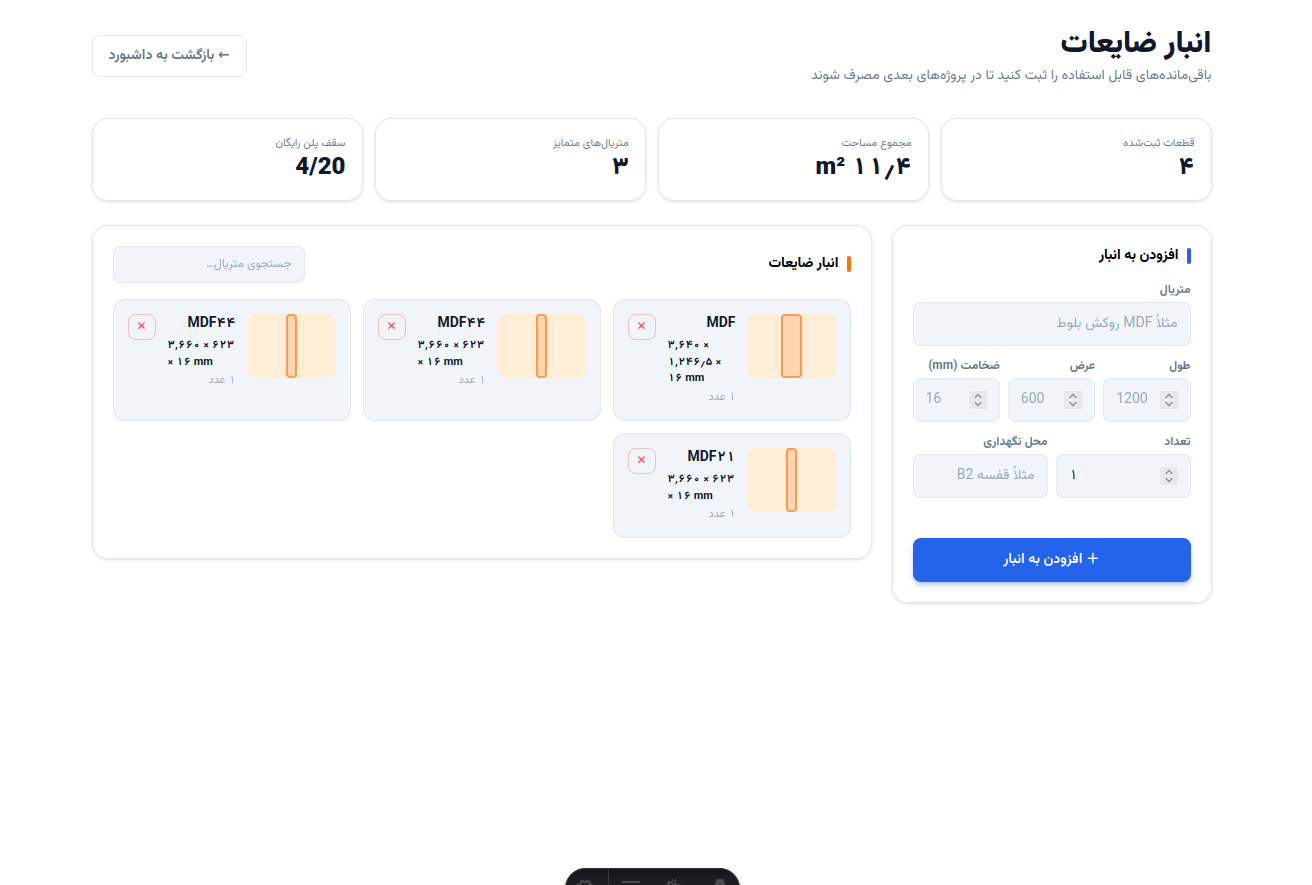
Offcut inventory
Offcut inventory
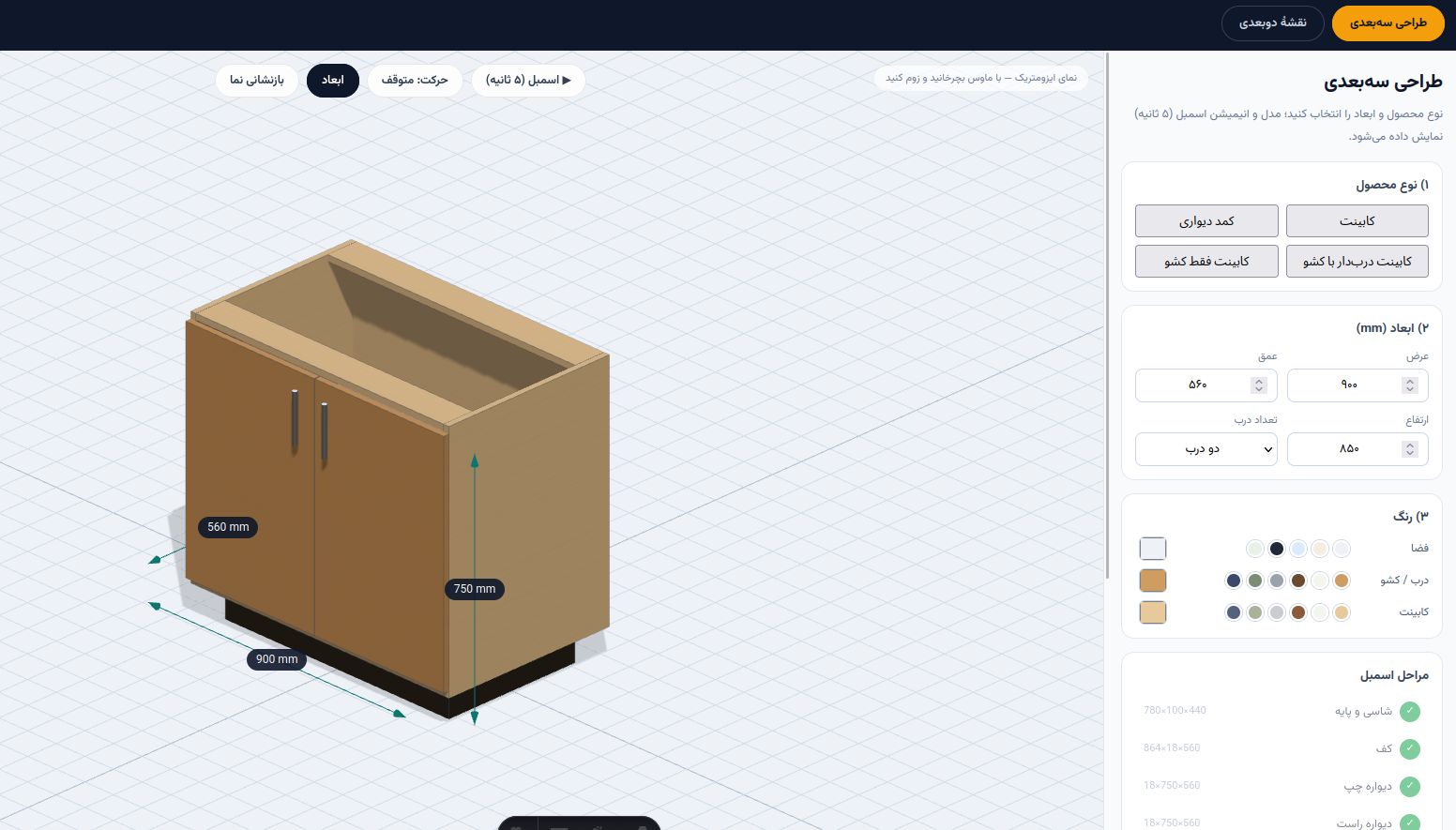
3D cabinet design
3D cabinet design
3D view
3D view
200+
algorithm combinations per optimization
4
UI languages from day one
~10ms
cut plan computation time
up to 50%
less cutting waste

Why BoreshSaz?

A tool built on the shop floor, not in a think tank

Multi-pass optimizer

Dozens of algorithm combinations run; the fewest sheets win — not the first answer.

Offcut inventory

Cut leftovers are saved and reused in your next project instead of new stock.

CNC-ready output

Layered DXF ready for the machine, plus PDF and PNG for the workshop.

Invoices & cost reports

Material, waste and cutting time costs are calculated and turned into a formal invoice.

What workshops say

Real feedback from beta users

«I used to lay out cuts by hand on paper for half an hour. Now I have the plan in seconds — and I stop buying extra sheets.»
Mehdi Rezaei
Carpentry workshop — Tehran
«The offcut inventory is the best part; I see leftovers from the previous project in the next one and use them before buying new stock.»
Sara Ahmadi
Aria Furniture & Decor — Isfahan
«I feed the DXF straight into the CNC. No more manual errors between the plan and the machine.»
Ali Karimi
Modern Cabinetry — Mashhad
Coming soon — phase 3

3D kitchen design in BoreshSaz

Arrange cabinets in 3D; the cut list is generated automatically and flows straight into the optimizer — the full loop from design to cut. Leave your email to be the first to know.

In the meantime, try the cut optimization tool for free

Simple pricing

Two tiers — no complexity, no surprises

Free

For everyone, no time limit

0 Toman
Start for free

Free forever. No credit card required.

  • Part entry (manual or from Excel)
  • Multi-pass guillotine optimization
  • Graphical cut plan
  • PDF & PNG export
  • Four languages
PRO

Pro Monthly

For workshops and production teams

800

K Toman / month
Cancel anytime

Unlock Pro

Monthly subscription with instant access to all Pro features.

  • Everything in Free
  • DXF export for CNC
  • Smart offcut inventory
  • Nesting & Hybrid algorithms
  • Formal invoices & cost reports
  • Multi-user with roles
20% OFF

Pro Annual

Same Pro features, bigger savings

9.6M Toman

7.68

M Toman / year
≈ 640K Toman / month

Get annual plan

20% cheaper than paying monthly.

  • Everything in Pro Monthly
  • 20% discount vs monthly billing
  • One payment per year
❓ Frequently asked questions

Frequently asked questions

Quick answers to the most common questions about BoreshSaz — more on the full page

How does BoreshSaz optimize part placement on sheets?
BoreshSaz runs a multi-pass guillotine algorithm: each optimization tries around 200 combinations (6 part orderings × placement strategies × sheet-splitting strategies × rotation) and picks the best — selection criteria: first, all parts must fit; then the fewest sheets; then the least waste. Saw kerf and edge trim are included in the math, so the dimensions on the map are the real cut dimensions. Two goals to choose from: "least waste" or "largest offcut", which gathers waste into one area so a usable piece remains from the sheet.
How does a usable leftover get registered in the inventory?
After every optimization, the largest usable leftover is displayed with its real, kerf-adjusted cuttable dimensions. The "Save to inventory" button stores it in your inventory with material name, dimensions and sheet thickness — it's your personal leftover warehouse, with storage location (e.g. shelf B2), material search and deletion. The free plan stores up to 20 offcut records.
How are the technical report and invoice generated?
On the "Reports & Invoices" page you pick a project and get a PDF: a multi-page technical report (efficiency stats, sheet maps, paginated parts table) and a formal one-page invoice with a number, seller/buyer details, sheet and PVC band line items, and the grand total. The free plan puts a diagonal watermark on pages; the Pro plan gives clean output.
What are the free plan limits? How much is Pro?
The free plan is genuinely enough to start: 15 saved projects, up to 150 parts per project, 20 offcut inventory records, and all optimization features. The Pro plan at 800,000 Toman per month (or 7.68M Toman per year with 20% off) removes the limits, removes output watermarks, and unlocks advanced features like map sharing and 3D design.
When is 3D cabinet and kitchen design coming?
It's under construction — the 3D design module (2D Planner map and 3D Designer view) is added to BoreshSaz in the next phase, along with the "cut list → optimization" bridge that completes the workflow: design the kitchen and the parts list flows straight into the cut optimization engine. You can leave your email in the "coming soon" form on the home page to be among the first to know.
All questions